"Cheats" menu
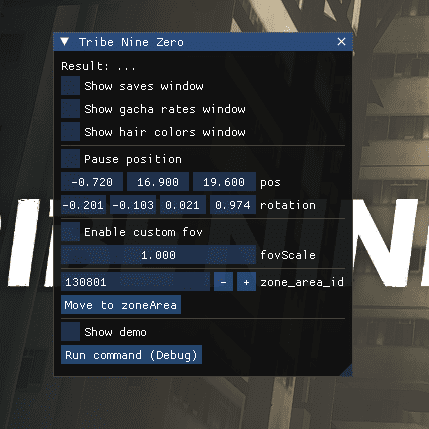
It can be opened with INSERT.
From there you can:
- Open the saves window
- Open the the gacha rates window
- Open the hair colors window
- Lock and change the camera position and rotation in the 3D space (I think it only works in the login screen?)
- Set a custom fov
- Change to an area with a known areaId.
Save files
They are the way to maintain the game progress between updates. Other files (for example, the semba.db) will not be compatible with future versions. They are stored in the "saves" folder in the launcher location. Before loading a savefile you should delete your user data (≡ -> Delete player data -> OK) or your position won't be updated if you are in the same area as the save file.